
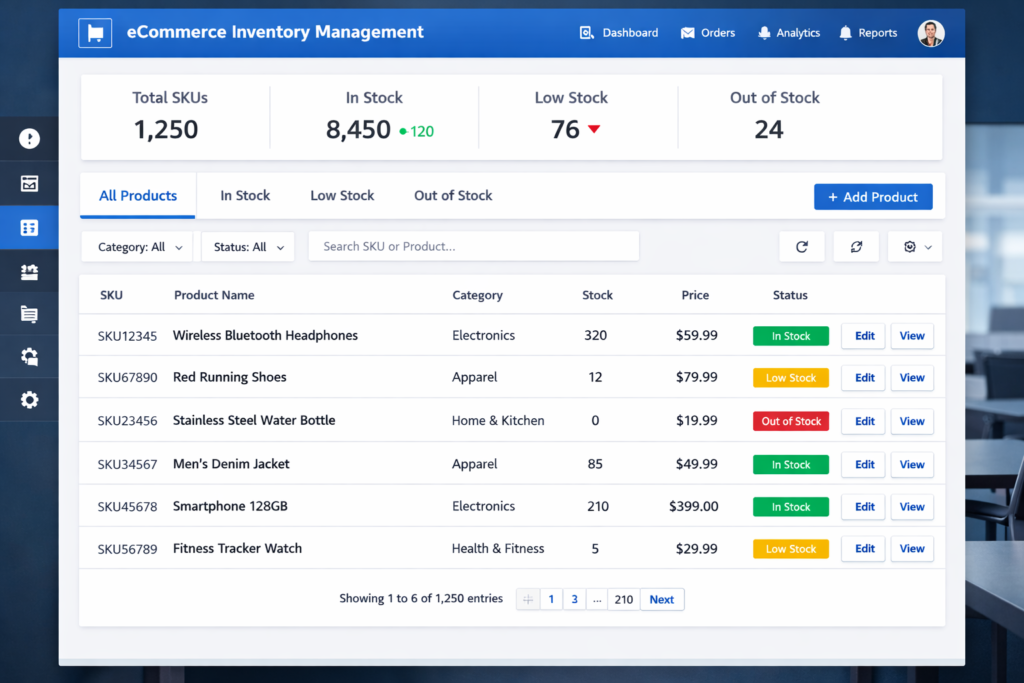
Managing product inventory is one of the most important tasks for any business that sells physical goods. Whether you operate a small online shop or manage a large warehouse, organizing products properly helps avoid confusion and improves operational efficiency.
One of the most reliable methods for organizing inventory is using SKU codes (Stock Keeping Units). These unique codes help businesses identify products, track stock levels, and manage variations such as size, color, or model.
However, creating SKU codes manually can become difficult as the number of products increases. That is where the DigiWireX SKU Generator becomes extremely useful. This tool allows businesses to automatically generate structured SKU codes in seconds.
This guide explains everything you need to know about SKU generators, including how to use them effectively and how they improve inventory management.
What Is a SKU?
A SKU (Stock Keeping Unit) is a unique identification code assigned to a product in an inventory system. Each SKU represents a specific item or product variation.
For example, a clothing store selling the same shirt in different colors and sizes may assign separate SKUs for each variation.
Example:
| Product | SKU |
|---|---|
| Black T-Shirt Small | TSH-BLK-S |
| Black T-Shirt Medium | TSH-BLK-M |
| Black T-Shirt Large | TSH-BLK-L |
This system allows businesses to track every item individually.
SKU codes are commonly used in:
-
eCommerce stores
-
retail shops
-
warehouses
-
supply chain management systems
What Is DigiWireX SKU Generator?
The DigiWireX SKU Generator is an online tool designed to create unique and structured SKU codes automatically.
Instead of inventing product codes manually, users simply enter product details such as name, attributes, or variations. The tool then generates a consistent SKU format that can be used across inventory systems.
The tool is particularly helpful for:
-
online store owners
-
product managers
-
warehouse teams
-
dropshipping businesses
By automating SKU creation, businesses save time and maintain a consistent inventory structure.
Why SKU Generators Are Important
Using a SKU generator provides several practical advantages.
Faster Product Identification
Short SKU codes allow staff to identify items quickly without reading long product descriptions.
Example:
Instead of writing
“Blue Cotton Shirt Large Size”
A SKU code can simply be:
SHRT-BLU-L
This reduces errors and speeds up product handling.
Better Inventory Organization
When every product has a unique identifier, inventory becomes easier to manage. Businesses can quickly check stock levels and reorder products when needed.
Easier Product Variant Tracking
Products often come in different variations.
Examples include:
-
color
-
size
-
material
-
model
-
storage capacity
Each variation requires its own SKU to avoid confusion.
Improved Warehouse Efficiency
Warehouse staff rely heavily on SKU codes when picking and packing products. Organized SKUs make it easier to locate items on shelves.
Real Experience Using DigiWireX SKU Generator
Testing the tool shows how useful it can be for organizing products.
For example, consider a simple product like running shoes.
Variants may include:
Color
-
Black
-
Blue
-
White
Size
-
8
-
9
-
10
Using a structured SKU format, the tool might generate codes such as:
RUN-BLK-08
RUN-BLK-09
RUN-BLK-10
RUN-BLU-08
RUN-BLU-09
RUN-BLU-10
These codes clearly describe the product type, color, and size.
This format helps businesses quickly identify products during inventory checks.
Step-by-Step Guide to Using DigiWireX SKU Generator
Creating SKUs using the tool is simple.
Step 1: Open the Tool
Navigate to the SKU generator page and access the tool interface.
Step 2: Enter Product Information
Start by entering the product name or category.
Examples:
-
Shoes
-
Laptop
-
T-Shirt
-
Smartphone
Step 3: Add Product Attributes
Attributes represent the different variations of a product.
Common attributes include:
-
color
-
size
-
storage capacity
-
material
Example:
Color → Black, White
Size → Small, Medium, Large
Step 4: Add Prefix or Brand Code
Many businesses include brand or category codes at the beginning of the SKU.
Example:
| Brand | Prefix |
|---|---|
| Apple | APP |
| Samsung | SAM |
| Nike | NIK |
Example SKU:
NIK-SHO-BLK-09
Step 5: Generate SKU Codes
Click the generate option and the tool will automatically create SKU combinations for all product variations.
Step 6: Copy the SKUs
The generated SKUs can then be used in:
-
eCommerce product listings
-
inventory spreadsheets
-
warehouse management systems
Best Practices for Creating SKU Codes
Creating a structured SKU system improves long-term inventory management.
Keep SKU Codes Short
Short codes are easier to read and remember. Most businesses keep SKUs between 8 and 16 characters.
Use Logical Abbreviations
Abbreviations make SKUs easier to interpret.
Examples:
| Word | Code |
|---|---|
| Shirt | SHRT |
| Blue | BLU |
| Large | L |
Maintain a Consistent Format
Using a consistent structure ensures that all SKUs follow the same pattern.
Example format:
CATEGORY – COLOR – SIZE
Example SKU:
TSH-RED-M
Avoid Confusing Characters
Characters like O and 0 or I and 1 can be easily confused. Avoid using them in SKU codes whenever possible.
Common SKU Mistakes Businesses Make
Poor SKU structures can cause problems later.
Using Random Codes
Random sequences such as:
XJ49QPL
do not provide useful information about the product.
Creating Extremely Long SKUs
Long codes slow down warehouse operations and increase the risk of errors.
Changing SKU Formats Frequently
Once a SKU structure is created, it should remain consistent across the entire inventory.
Who Should Use DigiWireX SKU Generator?
Many types of businesses benefit from using SKU generators.
eCommerce Stores
Online stores with many products need structured SKUs to organize product catalogs.
Retail Businesses
Physical shops use SKUs to manage stock and track sales.
Warehouse Management
Warehouse teams rely on SKUs when locating and shipping products.
Dropshipping Businesses
Dropshipping stores often sell hundreds or thousands of items from suppliers. SKU generators help maintain organized product listings.
Advanced Inventory Management Tips
Using SKUs effectively requires planning.
Create a SKU Documentation Guide
Document what each section of your SKU means.
Example:
| Segment | Meaning |
|---|---|
| CAT | Category |
| CLR | Color |
| SZ | Size |
Combine SKUs With Barcodes
Many businesses convert SKUs into barcode labels so items can be scanned quickly during checkout or warehouse processing.
Use Inventory Management Software
Most modern inventory systems allow you to store products using SKU codes.
This improves tracking accuracy and reduces manual errors.
Advantages of DigiWireX SKU Generator
Using a dedicated SKU generator provides several benefits.
Saves Time
Hundreds of SKUs can be created in seconds.
Improves Organization
Products follow a consistent naming system.
Reduces Errors
Automation prevents duplicate or inconsistent codes.
Works With Multiple Platforms
Generated SKUs can be used on most eCommerce platforms and inventory tools.
Conclusion
Effective inventory management depends on having a clear and organized product identification system. SKU codes provide a simple yet powerful way to track products, manage variations, and maintain accurate stock records.
Tools like the DigiWireX SKU Generator simplify the process by automatically generating structured SKU codes based on product attributes. Instead of creating codes manually, businesses can generate them instantly and maintain a consistent inventory structure.
For eCommerce stores, warehouses, and retail businesses, adopting a structured SKU system can significantly improve operational efficiency and reduce errors in product management.


coworking office https://coworking-space-dubai.com
пожарная сигнализация зданий установка обслуживание систем пожарной сигнализации
ip камера компьютер ip камера купить
ip камера ds i400 поворотная ip wifi камера видеонаблюдения
yacht rent in Montenegro https://rent-a-yacht-montenegro.com
Interested in UFC? UFC White House Full Fight Card unique mixed martial arts tournament will take place on June 14, 2026, in Washington, D.C., on the South Lawn of the White House. It will be the first professional sporting event in history to be held directly on the grounds of the U.S. presidential residence.
UFCShare is a portal http://www.ufcshare.com for fans of the Ultimate Fighting Championship and the world of MMA. News, fight results, tournament schedules, analysis, and fight reviews. Follow the best fighters and the main events of mixed martial arts.
F1 Direct is a website https://www.f1-direct.net about the world of Formula 1. Latest news, race results, race calendar, team and driver statistics. Up-to-date information for fans of the royal motor racing world.
Розповідаємо про складні https://notatky.net.ua речі простими словами. Зрозумілі пояснення науки, технологій, економіки та повсякденних явищ. Статті, розбори та факти, які допомагають краще розуміти світ та знаходити відповіді на складні питання.
erectile dysfunction medications online: Macksood Urology Urological Services – buy erectile dysfunction pills online
viagra https://macksoodurology.com/ed-medications/ cost of ed meds